
Bhai, agar tum Uttar Pradesh se ho aur sarkari ya private naukri dhundh rahe ho, toh Sewayojan UP Portal tumhare liye ek badi mauka hai. Ye Uttar Pradesh Sarkar ka official employment exchange hai, jo ab puri tarah se online ho gaya hai. Pehle logon ko employment office ke chakkar kaatne padte the, lekin ab ghar baithe registration kar sakte ho, job dekh sakte ho aur apply bhi kar sakte ho. Chalo detail me samajhte hain ki is portal se job kaise le sakte ho.
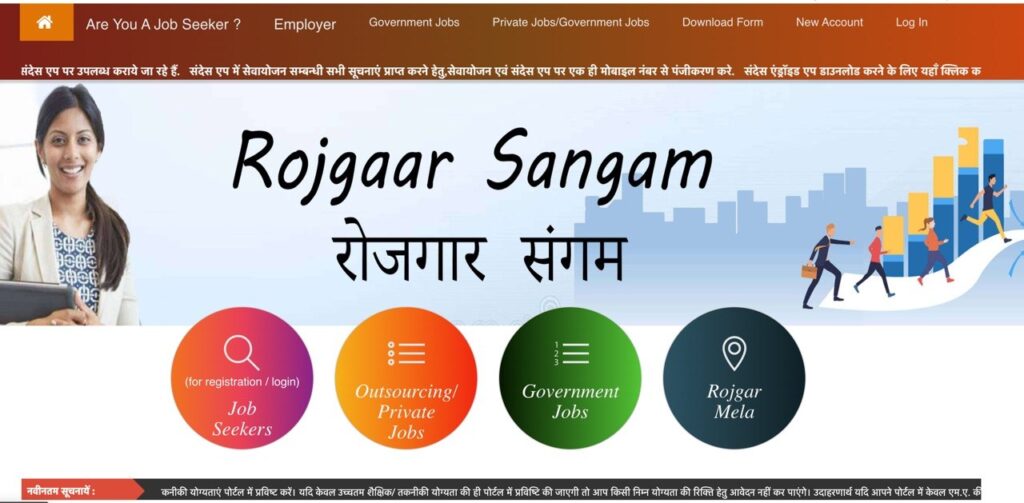
Sewayojan UP Portal Kya Hai – Simple Bhasha Me
Sewayojan UP Portal, jise Rojgar Sangam bhi kaha jata hai, Uttar Pradesh ke Prasikshan Evam Sewayojan Nideshalay (Training and Employment Directorate) dwara chalaya jata hai . Ye state ka official employment exchange hai, bas digital form me. Iska main kaam hai job seekers aur employers ko ek platform pe laana – jahan companies apni vacancies daalti hain aur candidates unpe apply karte hain .
Portal ke do official addresses hain:
| Portal Name | Website | Kaam |
|---|---|---|
| Sewayojan | sewayojan.up.nic.in | Registration aur job-matching ka purana system |
| Rojgar Sangam | rojgaarsangam.up.gov.in | Bada integrated platform – private jobs, campus placement, apprenticeships |
Dono ek hi department ke hain. Helpline number 155330 hai aur official email sewayojan-up[at]gov[dot]in hai .
Registration Se Pehle Kya Taiyari Karein
Bhai, registration shuru karne se pehle 4 cheezein ready rakho. Warna baad me baar-baar login karna padega aur time waste hoga.
| Document | Kyun Zaroori Hai |
|---|---|
| Aadhaar Card | Identity verification ke liye. Mobile number Aadhaar se linked hona chahiye |
| Educational Certificates | 10th, 12th, Graduation, Diploma – sabki marksheet aur certificate |
| Passport Size Photo | Recent photo, digital format me |
| Experience Certificate | Agar pehle kisi company me kaam kiya hai toh |
Ek zaroori baat: Portal saaf kehta hai ki saari educational qualifications daalo – High School aur usse upar ki. Agar tum sirf highest qualification daaloge, toh lower qualification wali jobs ke liye apply nahi kar paoge . Jaise agar tumne sirf M.A. daala hai, toh B.A. ya Intermediate wali job ke liye apply nahi kar paoge. Isliye 10th se lekar jitni bhi degrees hain, sab daalo.
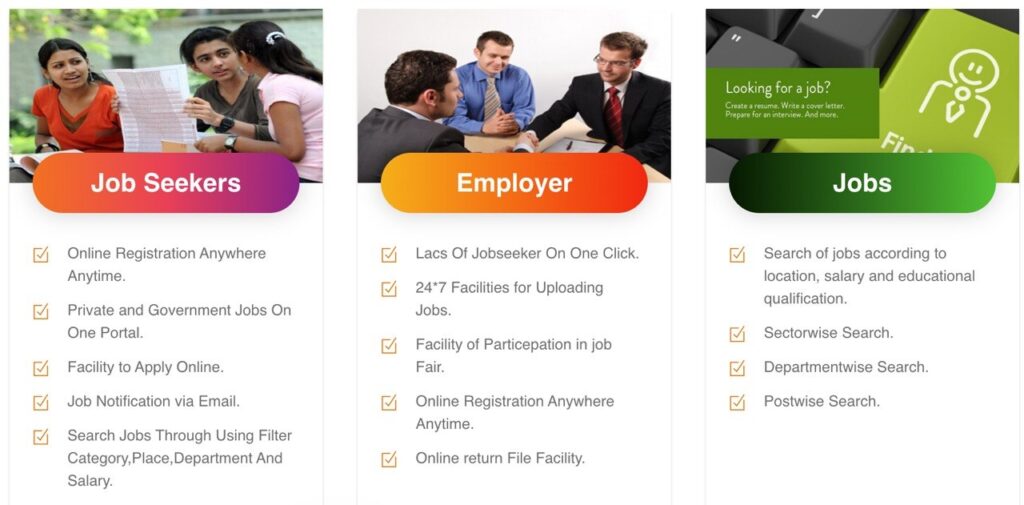
Job Seeker Registration Kaise Karein – Step by Step
Chalo ab practical process samajhte hain. Ye steps follow karo.
Step 1: Website Open Karo
Browser me sewayojan.up.nic.in type karo. Home page khulega.
Step 2: New Account Banao
Home page pe “Free Account” ya “Naya Account” button pe click karo . User category me “Jobseeker” select karo.
Step 3: Basic Details Bharo
Apna naam, mobile number, email ID, user ID aur password daalo. Password strong rakho – jaise India@123 type .
Step 4: Aadhaar Authentication
Aadhaar number daalo. OTP aayega registered mobile number pe. OTP daal ke verify karo .
Step 5: Profile Complete Karo
Ab tumhara dashboard khulega. Yahan tumhe apni personal details, educational qualifications, skills aur experience daalni hai .
Educational Qualifications: 10th, 12th, Graduation, Post-Graduation – sab daalo. Har ek ka board, year, percentage mention karo.
Skills: Jo bhi skills hain – typing, MS Excel, Tally, computer knowledge – sab add karo. Employers skills ke basis pe bhi shortlist karte hain .
Step 6: Documents Upload Karo
Photo, signature aur zaroori certificates upload karo.
Step 7: Registration Complete
Sab kuch verify karke “Agree” button pe click karo. Tumhara registration ho jayega aur tum Registration Certificate (X-10) print kar sakte ho .
Step 8: Verification Ka Wait Karo
Tumhara profile Employment Office ke officer dwara verify kiya jayega. Verification ke baad hi tum vacancies ke liye apply kar paoge .
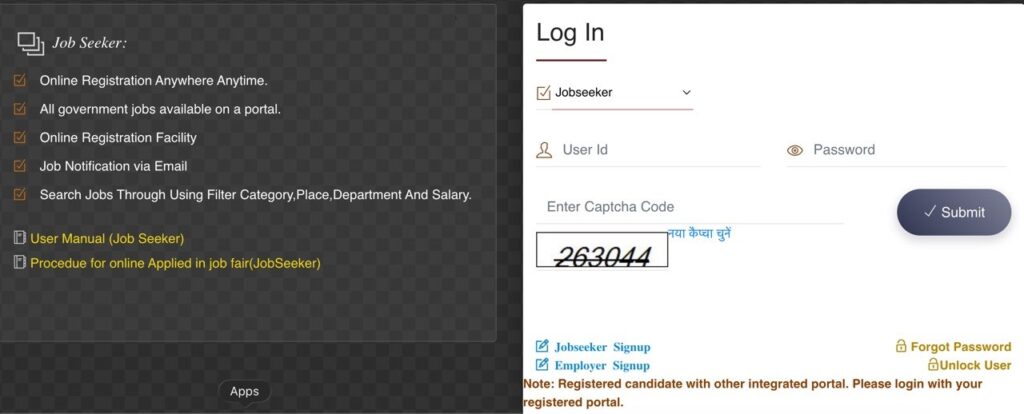
Jobs Kaise Dhundhe Aur Apply Karein
Registration aur verification ke baad, tumhara dashboard active ho jayega. Ab samjho job kaise dhundhni hai.
Dashboard Pe Kya Dikhega:
- Adhisuchit Riktiyan (Notified Vacancies) – Employers ne jo vacancies daali hain
- Rojgar Mela Ki Suchi – Aane wale job fairs ki list
- Private Naukriyan – Private sector ki jobs ka section
Job Apply Karne Ka Process:
- Dashboard pe “Private Naukriyan” ya “Jobs” section pe click karo
- Apni qualification ke hisaab se jobs filter karo
- Job ki details padho – salary, location, eligibility check karo
- “Apply” button pe click karo
- Confirmation receipt save karo ya print karo
Rojgar Mela (Job Fair) Me Kaise Participate Karein
Rojgar Mela UP Sewayojan Portal ka sabse bada advantage hai. Yahan companies directly candidates se milti hain aur interview bhi hota hai .
Kaise Participate Karein:
- Dashboard pe “Rojgar Mela” section pe click karo
- Aane wale job fairs ki list dekho – district, date, venue
- Jo fair attend karna hai, uska “Chune” button pe click karo
- Fair ke din Registration Certificate (X-10), saare original documents aur photo leke jao
- Companies ke saamne directly interview do
Ek zaroori baat: Rojgar Mela me employers interview date se 3 din pehle shortlisted candidates ko inform karte hain . Isliye dashboard regularly check karte raho aur mobile/email notifications on rakho.
Age Limit Aur Eligibility
Sewayojan Portal pe job ke liye register karne ke liye kuch basic eligibility hai:
| Criteria | Detail |
|---|---|
| Residency | Uttar Pradesh ka resident hona chahiye |
| Age Limit | Generally 18 se 40 years. Kuch jobs me alag ho sakta hai |
| Educational Qualification | High School, Intermediate, Graduation, Diploma – job ke hisaab se |
| Skills | Computer knowledge, typing, technical skills – job requirement ke hisaab se |
Lekin registration ke liye koi age bar nahi hai. Illiterate candidates bhi register kar sakte hain . Job apply karte time age limit check karni hoti hai.
Portal Ke Fayde – Kyun Ye Best Hai
Sewayojan Portal ke kuch bade fayde hain jo isse doosre job portals se alag banate hain:
1. Bilkul Free Hai
Registration, renewal, aur saari services 100% free hain . Koi hidden charge nahi. Agar koi cyber cafe paisa maange toh sirf unka service charge hai, government ka koi fee nahi.
2. Sarkari Aur Private Dono Jobs
Yahan government, contract, outsourcing aur private sector – sab tarah ki vacancies milti hain . Ek hi jagah pe sab kuch.
3. Rojgar Mela Ka Mauka
Direct companies se milne aur interview dene ka mauka milta hai. Ye ek traditional job portal me nahi milta .
4. Notifications Aur Alerts
Nayi vacancy, training program ya Rojgar Mela ki information SMS aur email pe milti hai . Koi opportunity miss nahi hoti.
5. Seniority Ka Fayda
Jo candidates pehle se registered hain, unhe vacancy submission me seniority ka fayda milta hai . Matlab pehle register karna faydemand hai.
Important Baatein – Dhyaan Rakhne Wali
Bhai, kuch cheezein hain jinke baare me sabko pata hona chahiye:
1. Aadhaar Details Match Kare
Aadhaar me jo naam aur spelling hai, wahi portal me daalo. Aadhaar record se alag spelling verification fail hone ki sabse badi wajah hai .
2. Highest Qualification Daalo, Lekin Sab Daalo
Sirf highest degree nahi daalni. 10th se lekar sab daalo. Warna lower qualification wali jobs ke liye apply nahi kar paoge .
3. Registration Renewal
Registration 3 saal ke liye valid hota hai. 3 saal baad renewal karna padta hai. Renewal link “Declaration” page pe milta hai .
4. OTP Login Authentication
Admin, Employer aur Department users ke liye OTP-based login chalu ho gaya hai. Registered mobile number paas rakho .
5. Maintenance Window
Site roz 3:30 pm se 4:30 pm tak maintenance ke liye band ho sakti hai . Is waqt login fail ho toh ghabrana nahi, thoda wait karo.
6. Sandes App Alerts
Government notifications ke liye Sandes messaging app use karta hai. Sewayojan aur Sandes dono me same mobile number rakhna .
Kaun Kaun Register Kar Sakta Hai
Portal pe do tarah ke users register karte hain:
Job Seekers: Uttar Pradesh ke educated unemployed youth. ITI, Polytechnic, Intermediate, Graduate, Masters – kisi bhi qualification wale. Illiterate candidates bhi register kar sakte hain .
Employers: Private companies, contractors, outsourcing agencies jo vacancies daalna chahte hain. Ye log bhi portal pe register karke apni vacancies upload karte hain . Employers ko bhi Employment Officer se verification karana hota hai .
Common Problems Aur Solutions
Problem: OTP Nahi Aa Raha
Solution: Phone ko off karke on karo. Email pe bhi OTP bheja jata hai, wahan se check karo .
Problem: Aadhaar Verification Fail
Solution: Aadhaar me jo spelling hai, wahi portal me daalo. Naam, DOB – sab match karna chahiye .
Problem: Job Apply Nahi Ho Pa Rahe
Solution: Check karo ki tumhara profile verify hua hai ya nahi. Verification ke bina apply nahi kar sakte .
Problem: Registration Cancel Ho Gaya
Solution: Agar tumne 3 baar job offer decline kiya ya 2 baar call letter ka jawab nahi diya, toh registration cancel ho sakta hai . Isliye job offer ko lightly mat lo.
Bhai, Sewayojan UP Portal Uttar Pradesh ke youth ke liye sabse bada government job platform hai. Bilkul free hai, sarkari aur private dono jobs milti hain, aur Rojgar Mela me directly interview ka mauka milta hai. Agar tum UP se ho, toh aaj hi register karo – documents ready rakho, saari qualifications daalo, aur profile verify karwao. Jitni jaldi registration, utni seniority ka fayda . Aur haan, dashboard regularly check karte raho aur notifications on rakho taaki koi opportunity miss na ho. All the best!
For apply on this Website :- Click Here
Data Entry Work From Home Job for Freshers 2026
Remote Chat Work for Jobseekers in 2026
Captcha typing Work From Home in 2026
Chat Support Work From Home Job 2026
Amazon Work From Home Job 2026
Writing Work from Home Job 2026
12th Pass Tech Mahindra Customer support Job 2026